

Mobile guide · Canada
Does SpinAway have a mobile app?
Yes, on Android: SpinAway offers its app as a download from its own page. iPhone players get the same account in Safari. Here is how to set it up.
200%
Welcome Offer
Up to C$1,000 + 100 Free Spins
35x wagering · Min C$20 deposit
Yes on Android, the browser on iPhone
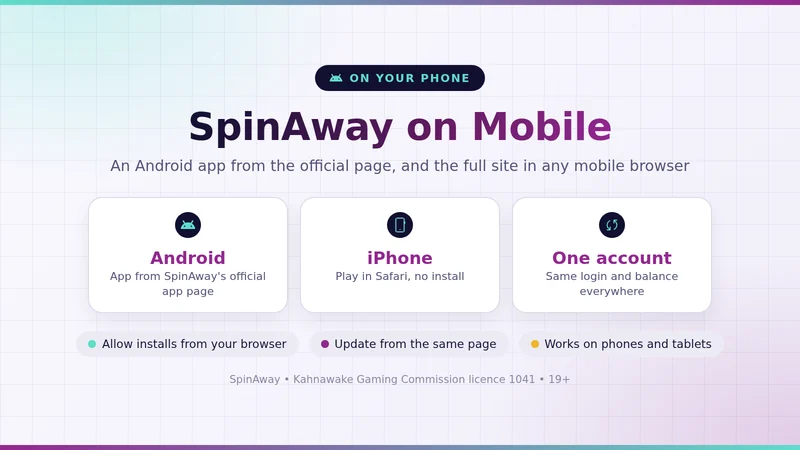
Yes, on Android. SpinAway has an Android app that you download straight from its official app page as an APK file, not from Google Play. There is no SpinAway app in Apple's App Store, so on iPhone and iPad you open the mobile site in Safari, and it does the same job. Whichever you pick, it is one account and one balance.
That covers the whole of Canada outside Ontario, where SpinAway runs on spinaway.com. Ontario players have their own SpinAway site at spinaway.ca, set up separately for the Ontario market, so this guide is about the spinaway.com app.
Why an APK, and app vs browser
If you searched Google Play for "SpinAway app android" and came up empty, nothing is wrong. Google Play only lists real-money casino apps in some countries, and only for operators that meet its licensing and registration rules market by market. Plenty of casino brands therefore hand out their Android app directly, and SpinAway does exactly that: the official page for Canada says "Get our Mobile App! now available for Android" and gives you the download.
An APK is simply the install file behind every Android app. The Play Store uses the same kind of file behind the scenes; here you just fetch it yourself. The only extra step is a one-time permission, which we cover in the install steps below.
On iPhone the picture is simpler. Apple's App Store has no SpinAway app, and you can't side-load one, so Safari is the way in. The mobile site gives you the same lobby, the same account and the same cashier as on your laptop.
Android app
Best if you play on the same Android phone most days and want SpinAway one tap away.
- Its own icon in your app drawer and on the home screen
- Opens full screen, with no address bar or browser tabs in the way
- Same login, balance and bonus as on the website
- Needs a single download and a short permission step
Mobile browser
Best on iPhone and iPad, or if you would rather not install anything.
- Works in Safari, Chrome or any modern browser
- Nothing to install and no settings to change
- You always load the current version of the site
- A Home Screen shortcut gives you an app-style icon too
200% up to C$1,000 + 100 Free Spins, 35x wagering, from C$20.
How to install it, step by step
The whole SpinAway app download takes a couple of minutes on a normal mobile connection. Do it on the Android phone you want to play on, not on a computer.
- Open the official app pageGo to SpinAway's site in your phone's browser and follow its link to the mobile app page. That page is the only place to get the file.
- Download the APKTap the Android download button. Your browser saves the file and shows it in its downloads list.
- Allow the install when Android asksWhen you open the file, Android asks you to allow "Install unknown apps" for the browser you used. Turn it on for that browser only.
- Install the appGo back, tap Install, and wait for the SpinAway icon to appear on your phone.
- Log in or sign upOpen the app and log in with your usual details, or create an account if you are new. You must be 19+.
- Switch the permission off againIn Settings, find your browser under Apps and turn "Install unknown apps" back off. The SpinAway app keeps working.
iPhone tip: open SpinAway in Safari, tap the Share button, then choose "Add to Home Screen". You get an icon that opens the site in one tap, which is as close to a SpinAway iOS app as you need.
Once you are in, the lobby, cashier and promotions are the same ones you know from desktop. If you don't have an account yet, you can open your SpinAway account on your phone and claim the welcome offer from the same screen.
Mistakes to avoid on your phone
Most app trouble comes down to a handful of habits. Skip these and the SpinAway app runs as it should.
- Grabbing a "SpinAway APK" from a download site: third-party copies can be old or tampered with. Take the file from SpinAway's official app page and nowhere else.
- Leaving the unknown-apps permission on: it lets that browser install any file it downloads. Turn it off as soon as the app is in.
- Running old software: an up-to-date Android version with the latest security patches keeps the app stable and your phone safer.
- Hunting the App Store for an iPhone app: there isn't one, and a lookalike with a similar name is not SpinAway. Use Safari and the Home Screen shortcut.
- Staying logged in on a shared device: on a family tablet or a borrowed phone, log out when you finish and don't let the browser save your password.
What we checked, and when
We went through SpinAway's Canadian app page ourselves and searched Apple's App Store, so the answer above rests on what was live, not on old reviews.
- Checked on
- 28 September 2026
- Source
- SpinAway's official Canadian app page (promo.spinaway.com/ca/app)
- Android
- App download offered on the page
- App Store
- No SpinAway app listed
- Operator named on the page
- Monkey 9 Limited, Kahnawake licence 1041
- Age
- 19+
The same page promotes over 2,000 games. We will recheck it if SpinAway adds an iPhone app or changes where the Android download lives.
Mobile App FAQ
Is the SpinAway app free?
Yes. It is a direct download from SpinAway's official app page rather than a paid store listing, so there is nothing to buy. You only need a SpinAway account, and the account itself is free to open for players aged 19+.
Is the SpinAway APK safe to install?
An APK is simply the file format every Android app uses. The safe route is to download it only from SpinAway's official app page, reached from SpinAway's own site, and to switch the "Install unknown apps" permission off again once the app is installed. Copies on third-party download sites are not worth the risk.
Can I use the same account in the app and in the browser?
Yes. The app, the mobile site and the desktop site all run on one SpinAway account with one balance, so you log in with the same details everywhere and pick up where you left off.
Does the SpinAway app get updates?
SpinAway does not publish an update schedule. Because the app does not come from Google Play, Play Store auto-updates do not apply to it. If the app asks you for a newer version, download it from the same official app page.
Can I deposit and withdraw in the app?
Your app login is your normal SpinAway account with the same balance, so deposits and withdrawals belong to that one account. The payment methods open to you are listed in the cashier, and our withdrawal guide explains how cash-outs are processed.
Take SpinAway with you
Install the Android app or save the site to your iPhone Home Screen, then log in with one account everywhere.